
1. Introduction
Every growing business eventually hits a wall where spreadsheets, sticky notes, and scattered email threads just aren’t enough to manage customer relationships. Enter the CRM (Customer Relationship Management) system.
Many businesses naturally start with free CRM tools. They are accessible, cost nothing, and get the job done when you only have a handful of clients. However, as your team expands, your lead volume increases, and your sales process becomes more complex, the cracks in a free system start to show. The transition from “just getting by” to “needing a robust system” can cause a lot of confusion for business owners.
Should you upgrade? Is the monthly subscription actually worth it? In this guide, we’ll break down the core differences between free and paid CRMs, explore their pros and cons, and help you make a confident decision for your business’s future.
2. What is a CRM?
Simply put, a CRM is a software system designed to help you manage your interactions with current and potential customers. Think of it as the ultimate digital Rolodex, but with a brain.
At its core, a CRM handles:
- Contact management: Storing names, emails, phone numbers, and social profiles.
- Lead tracking: Monitoring where potential customers are in your sales funnel.
- Sales pipeline management: Giving you a visual overview of ongoing deals.
- Communication tracking: Logging emails, calls, and meetings in one centralized place.
3. What is a Free CRM?
A free CRM is exactly what it sounds like—a no-cost entry-level tool that helps you organize your customer data. It is usually designed for solopreneurs or micro-businesses.
What it typically includes:
- Basic contact management
- Simple lead tracking and deal pipelines
- Limited, surface-level reporting
The Catch:
While free is great for your budget, these systems come with built-in constraints. You will usually encounter feature limitations, caps on how many users can access the system, restricted storage space, and very limited ability to integrate with the other apps you use daily.
4. What is a Paid CRM?
A paid CRM is a premium, fully-featured software subscription designed to scale with your business. Instead of just storing data, a paid CRM actively helps you sell and market more effectively.
What it offers:
- Automation: Triggering emails or assigning tasks automatically.
- Custom workflows: Tailoring the software to match your exact sales process.
- Advanced reporting: Deep analytics on sales performance and forecasting.
- Integrations: Connecting seamlessly with your accounting, marketing, and communication tools.
A paid CRM is positioned as a scalable solution—one that grows alongside your revenue and team size.
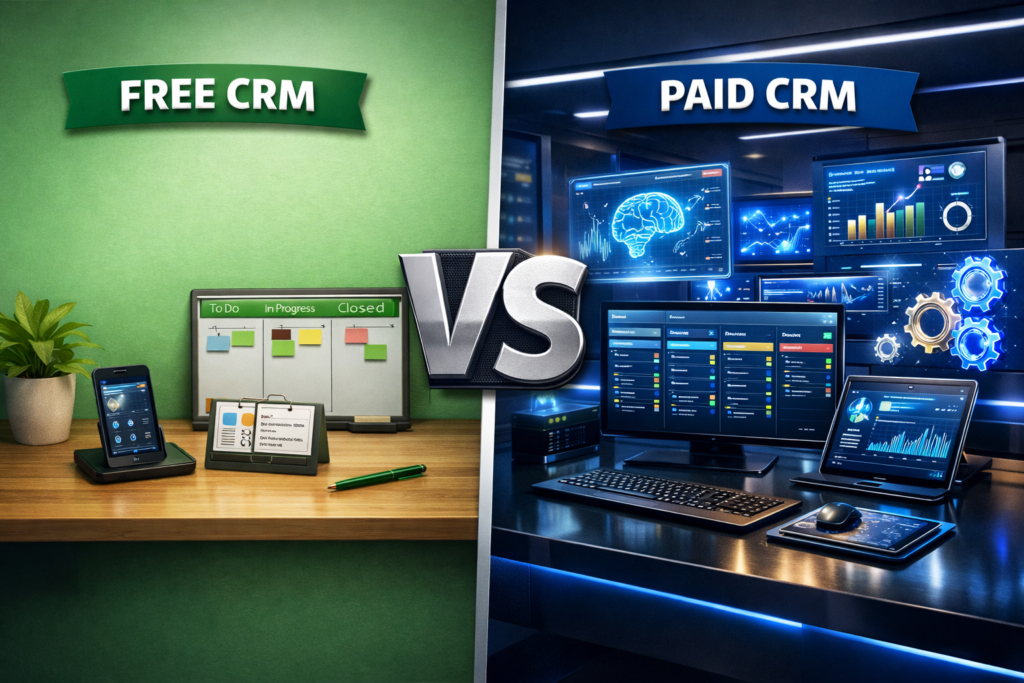
5. Free vs Paid CRM: Key Differences
To make it easy to scan, here is how free and paid CRMs stack up against each other across core categories:
| Feature/Aspect | Free CRM | Paid CRM |
| Features | Basic tools (contacts, simple pipelines). | Advanced tools (forecasting, marketing hubs). |
| Customization | Very rigid; “what you see is what you get.” | Highly customizable fields, pipelines, and dashboards. |
| Automation | Little to none. Everything is manual. | Robust automation for emails, tasks, and data entry. |
| Scalability | You will eventually outgrow it. | Scales easily as you add new team members and processes. |
| Integrations | Limited to a few native apps. | Connects to thousands of third-party apps via APIs. |
| Support | Community forums or slow email support. | Priority support via live chat, phone, or dedicated account managers. |
| Data Limits | Strict caps on contacts, storage, and users. | Generous or unlimited data and user scalability. |
6. Pros and Cons of Free CRM
Pros:
- No cost: Perfect for bootstrapping startups with zero software budget.
- Easy setup: Fewer features mean less complexity and quicker onboarding.
- Suitable for small teams: Ideal if only 1-3 people need access.
Cons:
- Limited features: You only get the bare minimum.
- Restricted scalability: User and contact caps force you to upgrade eventually.
- Limited automation: You will spend a lot of time on repetitive, manual data entry.
- Basic support: If things break, you are largely on your own to fix them.
7. Pros and Cons of Paid CRM
Pros:
- Advanced features: Everything you need to close deals faster.
- Automation: Frees up your team’s time by handling repetitive tasks.
- Scalable: Adapts effortlessly to new departments, branches, and staff.
- Better support: Fast, reliable help when you need it.
Cons:
- Cost: Requires a monthly or annual financial commitment.
- Learning curve: More features mean it takes longer for staff to master.
- Setup effort: Requires time to properly configure workflows and integrations.
8. What You Miss with Free CRM (Limitations in Detail)
It’s easy to focus on the features you don’t get, but the real issue with a free CRM is the business impact.
- Manual Processes: Without automation, your sales reps waste hours typing emails, updating deal stages, and scheduling follow-ups manually. This is time they should be spending closing deals.
- Data Silos: Because free CRMs don’t integrate well with other tools, your marketing data, sales data, and support tickets live in different worlds, resulting in a fragmented customer experience.
- Limited Reporting: You can’t improve what you can’t measure. Free CRMs rarely offer the deep insights needed to spot sales bottlenecks or forecast future revenue.
- Difficulty Scaling: Hitting a “maximum contact limit” right in the middle of a successful marketing campaign can instantly derail your momentum.
9. When to Use a Free CRM
A free CRM is a fantastic starting point under the right circumstances. It’s best suited for:
- Early-stage startups testing their business model.
- Micro-businesses and solopreneurs.
- Teams with a low volume of high-value leads.
- Businesses with incredibly simple, straightforward sales workflows.
10. When to Choose a Paid CRM
You’ll know it’s time to open your wallet and invest in a paid CRM when you fall into these categories:
- Your business is growing rapidly.
- Your lead volume is increasing beyond what you can manually track.
- Your team is expanding, requiring complex permission levels and collaboration tools.
- You desperately need automation to save time.
- You engage in multi-channel communication (social media, email, SMS, phone) and need it all in one place.
11. Cost vs ROI: Is Paid CRM Worth It?
It’s completely normal to hesitate before taking on a new monthly expense. However, when evaluating a paid CRM, you have to look at Cost vs. Long-Term Value.
Think about the time savings: If a paid CRM automates just 5 hours of administrative work per sales rep every week, it pays for itself almost instantly. Furthermore, advanced CRMs prevent leads from slipping through the cracks. By improving your follow-up speed and organizing your pipeline, a paid CRM directly increases your conversion rates. The return on investment (ROI) usually far outweighs the subscription fee.
12. How to Choose the Right CRM
When you are ready to make a choice, evaluate your options based on these four pillars:
- Business Size: Are you a team of 5 or 50? Choose a software that caters to your current size but can handle your future size.
- Budget: Determine what you can comfortably spend per user, per month.
- Required Features: Make a list of “must-haves” (e.g., email tracking, invoicing) versus “nice-to-haves.”
- Growth Plans: Pick a software that allows you to easily add new features, storage, and users as your revenue grows.
13. Choosing a Scalable CRM Solution
If you are looking for a system that bridges the gap between starting out and scaling up, Bitrix24 is a platform worth exploring.
It is designed as an all-in-one business workspace, meaning it doesn’t just stop at basic contact management. Bitrix24 offers a highly scalable environment where growing businesses can manage leads, automate sales funnels, and handle project management all under one roof. Because it scales effortlessly, it’s an ideal choice for businesses that want a long-term solution rather than having to switch software every few years.
14. FAQ Section
Q1. Is a free CRM enough for small businesses?
Yes, but usually only in the very beginning. For solopreneurs or small teams with low lead volume and simple sales cycles, a free CRM is a great way to transition away from spreadsheets.
Q2. What are the limitations of free CRM?
The most common limitations include caps on the number of contacts you can store, restricted user access, a lack of workflow automation, basic (often inadequate) reporting, and minimal customer support.
Q3. When should I switch to a paid CRM?
You should upgrade when manual data entry is eating up your team’s time, when you start losing track of leads, when your team grows beyond 3-5 people, or when you need your CRM to “talk” to your other software tools.
Q4. Does a paid CRM improve business performance?
Absolutely. By automating repetitive tasks, standardizing your sales pipeline, and providing deep analytics into your team’s performance, a paid CRM boosts productivity and generally leads to higher conversion rates and better customer retention.