

Introduction
Almost everything we do today is on our phone.
We chat with friends, watch videos, order food, and even learn new skills — all through apps.
But have you ever thought, “How are these apps made?”
The answer is simple — app development.
Now don’t worry if this sounds technical. I’m not going to use difficult words here. I’ll explain everything in a way that feels easy and clear, just like someone teaching you step by step.
What is App Development?
Let’s understand this in the simplest way.
App development means creating an app that people can use on their phone or computer.
That’s it.
For example, the apps you use daily — for chatting, shopping, or gaming — are all created by developers.
So you can say:
App development = idea + building + making it usable
Why Does App Development Matter Today?
If you look around, you’ll notice one thing — people prefer apps over websites.
Why?
Because apps are:
- Faster
- Easier to use
- Always available
For businesses, apps are even more important.
They help:
- Reach more people
- Build trust
- Grow faster
That’s why today, even small businesses want their own app.
Let’s Understand the Basics (Without Confusion)
You don’t need to learn everything at once. Just understand these three things, and you’re good to go.
1. Frontend – What You See
This is the part you use.
When you open an app and click buttons or scroll, that’s frontend.
If an app looks clean and simple, it means the frontend is well made.
2. Backend – What You Don’t See
This works quietly in the background.
For example:
- When you log in
- When data loads
- When something gets saved
All this is handled by the backend.
3. Database – Where Everything is Stored
Every app needs a place to store data.
Like:
- Your account details
- Messages
- Orders
This storage is called a database.
How an App is Actually Made
Let me explain this like a simple journey.
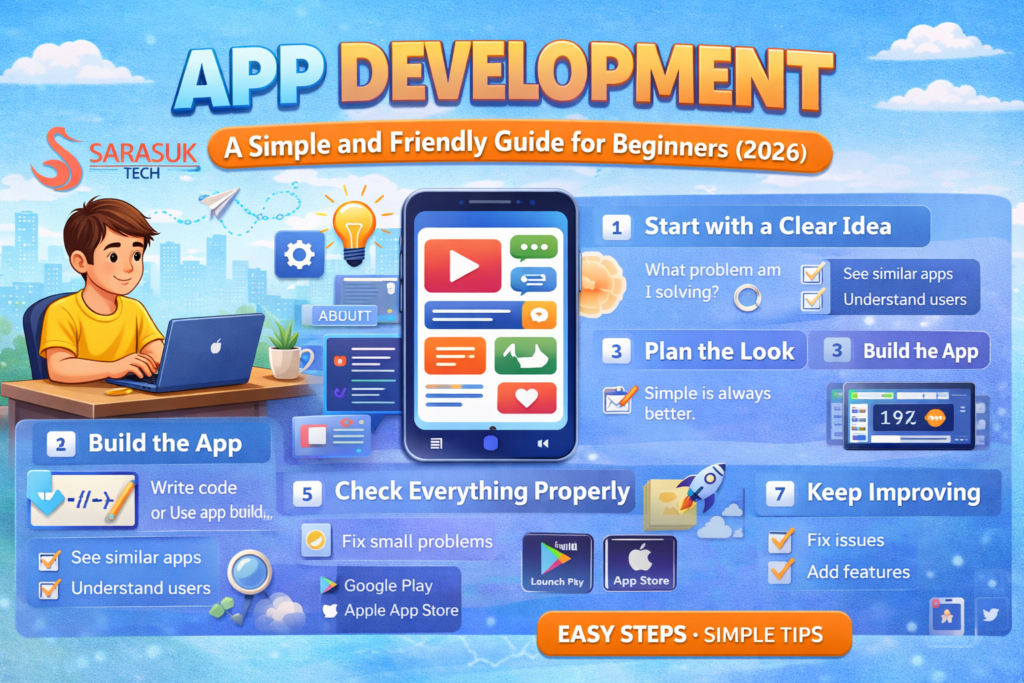
Step 1: Start with a Clear Idea
Every app starts with a question:
“What problem am I solving?”
A good app always solves a real problem.
Step 2: Look Around (Research)
Before building anything, smart people check what already exists.
You can:
- See similar apps
- Read reviews
- Understand what users want
This saves time and avoids mistakes.
Step 3: Plan the Look
Now think about how your app will look.
Keep one rule in mind:
Simple is always better.
Users don’t like confusion. They like apps that are easy to use.
Step 4: Build the App
Now comes the real work.
You can:
- Write code (if you know coding)
- Or use simple tools (if you are a beginner)
Both ways are fine.
Step 5: Check Everything Properly
Before showing your app to people, test it.
Use it yourself and ask:
- Is it working properly?
- Is it fast?
- Is anything confusing?
Fix all small problems here.
Step 6: Launch It
Now your app is ready for the world.
You can upload it on:
- Google Play Store
- Apple App Store
This is where people can download and use it.
Step 7: Keep Improving
Here’s something important.
Your job doesn’t end after launch.
Good apps keep improving.
You should:
- Fix issues
- Add new features
- Listen to users
Mistakes Beginners Often Make
It’s normal to make mistakes when you start. But knowing them early helps a lot.
Common mistakes are:
- Starting without a clear idea
- Making things too complicated
- Not testing properly
- Ignoring user experience
One simple tip:
Keep everything simple. That’s what users like.
Tools That Make Your Work Easier
You don’t have to do everything manually.
There are tools to help you.
If You Know Coding
You can use:
- Android Studio
- Xcode
- Visual Studio Code
If You Don’t Know Coding
No problem at all.
You can use app builder tools.
These tools let you:
- Drag and drop
- Create apps easily
- Save time
This is perfect for beginners.
Native vs Cross-Platform (Easy Explanation)
This may sound confusing, but it’s actually simple.
Native Apps
These are made for one platform only.
For example:
- Only Android
- Only iPhone
They are fast and smooth.
Cross-Platform Apps
These work on both Android and iPhone.
They:
- Save time
- Cost less
- Are easier to manage
For beginners, this is a smart choice.
Simple Tips to Make a Better App
You don’t need to be perfect. Just follow these small tips:
- Keep the design clean
- Make it easy to use
- Don’t add too many features
- Test before launch
- Always think from the user’s side
A simple app that works well is better than a complex app that confuses users.
What’s Coming in the Future?
App development is changing fast.
Here are some things you’ll see more in the future:
- Apps that understand users better
- Faster apps with better speed
- More interactive apps
- Apps that feel more real
Technology is growing, and so are opportunities.
How You Can Start (Without Stress)
If you’re thinking, “Can I really do this?” — the answer is yes.
Start like this:
- Learn basic concepts
- Watch simple tutorials
- Practice small things
- Try building a basic app
Don’t try to be perfect. Just start.
Conclusion
App development is not as hard as it looks.
It only feels confusing in the beginning. Once you understand the basics, things become clear.
Start small. Learn slowly. Keep going.
That’s how every developer starts.
if learn more you can follow sarasuk.com
FAQ
What is app development?
It means creating apps that people use on their phone or computer.
Is it hard to learn?
No. If you start simple, it becomes easy.
Can I build an app without coding?
Yes, you can use simple tools.
How much time does it take?
It depends, but usually a few months.